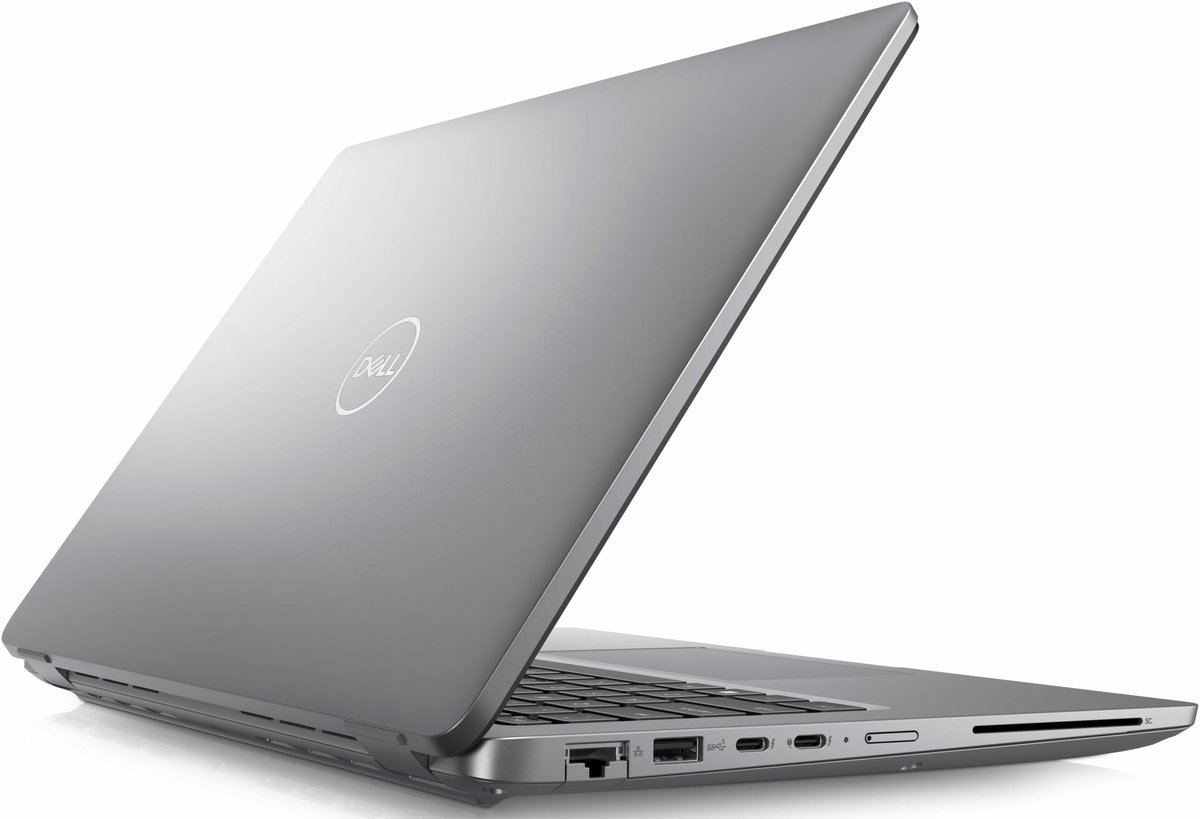
When you dream of diving into the latest blockbuster games, crisp graphics, and fluid motion, you're picturing a machine built for power and precision. But peel back the shiny exterior of a gaming laptop, and you'll find a complex symphony of components, each playing a vital role in delivering that immersive experience. Understanding the Performance & Specs: What to Expect from a Gaming Laptop isn't just about reading a spec sheet; it's about knowing what truly drives your gameplay and how to make an informed choice that matches your ambitions.
This isn't your average work laptop dressed up with fancy lights. Gaming laptops are purpose-built to handle the intense demands of modern video games, balancing raw power with the inherent need for portability. This means high-performance components, sophisticated cooling systems, and robust construction all packed into a chassis designed to go where you go.
At a Glance: What Truly Powers a Gaming Laptop
- GPU (Graphics Card) is King: This is your top priority for game performance, handling all the visuals.
- CPU is the Brain: Works with the GPU, managing game logic and preventing bottlenecks.
- 16GB RAM Minimum: Essential for smooth multitasking and game loading.
- NVMe SSD is a Must: Dramatically faster loading for your OS and games.
- Display Matters: Resolution, high refresh rate (120Hz+), and low response time (5ms or less) are crucial for visual fluidity.
- Cooling is Critical: Prevents your high-performance components from overheating and slowing down.
- Budget Dictates Power: Expect to pay more for higher resolutions, faster refresh rates, and top-tier components.
Why a Gaming Laptop Isn't Just "A Laptop"
Before we dive into the silicon, let's address a fundamental question: Should you buy a gaming laptop? The answer often hinges on your priorities. Unlike standard notebooks designed for productivity or casual use, gaming laptops feature a dedicated ecosystem. They require more robust power delivery, advanced thermal management, and often, a beefier price tag, all to squeeze desktop-level performance into a portable form factor. You're paying for specialized engineering to keep powerful components running at their peak without melting down.
The Core Powerhouses: GPU & CPU
At the heart of every gaming laptop are two critical components that work in tandem: the Graphics Processing Unit (GPU) and the Central Processing Unit (CPU). Think of them as the brawn and the brains of your gaming rig.
The GPU: Your Visual Engine
The GPU is arguably the most critical component for gaming performance. Its sole job is to render every pixel, texture, light effect, and shadow you see on screen. The more powerful your GPU, the higher resolutions you can play at, the more graphically intensive settings you can enable, and the smoother your frame rates will be.
- What to Look For:
- NVIDIA GeForce RTX/GTX Series or AMD Radeon RX Series: These are the big players. For modern gaming, aim for an NVIDIA RTX card (e.g., RTX 3050, 3060, 4060, 4070, or higher) or an equivalent AMD Radeon RX card. The higher the series number (e.g., 4070 vs. 4060), the more powerful it generally is.
- VRAM (Video Memory): This is dedicated RAM for your GPU. More VRAM (e.g., 8GB, 12GB) is crucial for handling high-resolution textures, especially at 1440p or 4K. Skimping on VRAM means your GPU might struggle to load high-detail assets, leading to stuttering or requiring you to lower texture quality.
- Advanced Technologies:
- Ray Tracing: This technology simulates the physical behavior of light, offering incredibly realistic reflections, shadows, and global illumination. It's a significant visual upgrade but demands a lot from your GPU. You'll need an RTX (NVIDIA) or RX 6000/7000 series (AMD) card for effective ray tracing.
- NVIDIA DLSS (Deep Learning Super Sampling) & AMD FSR (FidelityFX Super Resolution): These are AI-powered upscaling technologies. They render games at a lower internal resolution and then intelligently upscale them to your display's native resolution, often resulting in higher frame rates with minimal perceived loss in image quality. They're game-changers for boosting performance, especially when using ray tracing or playing at higher resolutions.
The CPU: The Brain Behind the Action
While the GPU handles the visuals, the CPU manages everything else: game logic, artificial intelligence, physics calculations, and preparing data for the GPU. A strong CPU ensures that your GPU isn't "bottlenecked," meaning it's not waiting on the CPU to feed it information, thus preventing wasted graphical power.
- What to Look For:
- Intel Core i5, i7, i9 or AMD Ryzen 5, 7, 9: Modern CPUs from these lines are excellent. For gaming, a Core i5 or Ryzen 5 is a solid starting point, but an i7 or Ryzen 7 often provides a better balance for multitasking and future-proofing. i9 and Ryzen 9 are top-tier, offering the best performance but often at a premium.
- Cores and Threads: Modern games increasingly utilize multiple cores. A minimum of 6 cores is recommended for effective gaming, allowing the CPU to handle game processes and background tasks simultaneously. More cores (8, 12, or even 16) benefit multitasking, streaming while gaming, and future games that fully leverage parallel processing.
Speed & Responsiveness: RAM & Storage
Beyond the core processors, how quickly your system can access data makes a massive difference in loading times, game fluidity, and overall system responsiveness.
RAM: Your Game's Workbench
RAM (Random Access Memory) is where your operating system, active applications, and game data are temporarily stored for quick access. Think of it as your game's workbench: the larger and faster it is, the more tools and materials your system can have readily available, reducing slowdowns and loading screens.
- What to Look For:
- 16GB is the Recommended Minimum: For modern gaming, 16GB of RAM is the sweet spot. Anything less will likely lead to stuttering or frequent loading screens in demanding titles.
- 32GB for Future-Proofing and Multitasking: If you're a heavy multitasker, streamer, or want to future-proof your laptop for the next few years, 32GB is a smart investment.
- DDR5 RAM: This newer generation of RAM offers higher bandwidth and improved efficiency compared to DDR4, translating to marginal but noticeable performance gains in some games and applications.
- Dual-Channel Configuration: Always opt for a dual-channel setup (e.g., two 8GB sticks rather than one 16GB stick). This allows the CPU to access data from two memory modules simultaneously, effectively doubling the memory bandwidth and offering better performance.
Storage: Lightning-Fast Loads
Gone are the days when a mechanical hard drive (HDD) was sufficient for gaming. For a snappy experience, a Solid State Drive (SSD) is non-negotiable.
- What to Look For:
- NVMe SSDs are Essential: These SSDs connect via the PCIe interface, offering dramatically faster read/write speeds compared to traditional SATA SSDs. This means lightning-quick boot times, instantaneous game loading, and snappier file transfers. Ensure your gaming laptop has an NVMe SSD for your operating system and primary games.
- Capacity: Aim for at least 512GB to 1TB for your NVMe SSD. Modern games can easily consume 50-100GB or more, so sufficient space is key.
- Hybrid Storage Solutions: Many gaming laptops offer a fast NVMe SSD for the OS and your most-played games, combined with a larger, more affordable HDD (e.g., 1TB or 2TB) for storing less-accessed files, your media library, or a wider collection of games where loading speed isn't paramount. This offers the best of both worlds.
Your Window to the Game: The Display
The display is your primary interface with the game world. Even with the most powerful internal components, a mediocre screen can detract from the entire experience. This isn't just about size; it's about clarity, fluidity, and color accuracy.
Resolution: Clarity vs. Frames
- 1080p (Full HD): This is the sweet spot for balancing visual detail with achievable high frame rates, especially in mid-range gaming laptops. Most games look great at 1080p, and it's easier for GPUs to push high frame counts.
- 1440p (QHD): Offers a significantly sharper image than 1080p, providing more screen real estate and finer details. However, it demands a much more powerful GPU to maintain high frame rates. If you're aiming for 1440p, ensure you have at least an RTX 3060/4060 or equivalent.
- 4K (UHD): The ultimate in detail, delivering stunning visuals. But 4K gaming requires top-tier, often flagship-level GPUs (e.g., RTX 3080/4080/4090 or equivalent) to deliver playable frame rates, especially with demanding titles. Match your resolution expectations to your GPU's capabilities.
Refresh Rate & Response Time: Smoothness is Key
These two factors dictate how smooth and responsive your visuals feel.
- Refresh Rate (Hz): Measured in Hertz, this indicates how many times your screen updates per second. Standard laptops are typically 60Hz. Gaming displays feature 120Hz, 144Hz, 240Hz, or even higher, providing incredibly smoother motion and a more responsive feel. For serious gaming, 120Hz or higher is strongly preferred, especially in fast-paced competitive titles.
- Response Time (ms): Measured in milliseconds, this is how quickly a pixel can change color. A lower response time (5ms or less) is crucial for reducing motion blur and ghosting, making fast-moving objects appear sharper.
Panel Technology & Adaptive Sync: Colors, Angles, and No Tearing
- Panel Technology:
- IPS (In-Plane Switching): Offers excellent color accuracy, contrast, and wide viewing angles. This is generally the preferred panel type for a balanced, vibrant visual experience.
- TN (Twisted Nematic): These panels prioritize speed, offering faster response times and often higher refresh rates at a lower cost. However, they typically compromise on color reproduction and viewing angles.
- OLED (Organic Light Emitting Diode): The pinnacle of visual quality, OLED panels offer infinite contrast, perfect blacks, and incredibly vibrant colors. They are typically more expensive and less common in gaming laptops but deliver an unparalleled visual experience.
- Adaptive Sync (NVIDIA G-Sync / AMD FreeSync): These technologies synchronize your display's refresh rate with your GPU's frame rate. This eliminates frustrating screen tearing (where parts of the image don't line up) and reduces stuttering, resulting in a dramatically smoother and more fluid visual experience, especially when frame rates fluctuate. Look for a display with G-Sync or FreeSync if your GPU supports it.
Keeping Your Cool: The Essential Cooling System
This is an often-overlooked hero in a gaming laptop. High-performance components generate a lot of heat. Without an effective cooling system, your GPU and CPU will quickly reach high temperatures, forcing them to "thermal throttle." Thermal throttling means they intentionally reduce their clock speeds and performance to prevent damage, turning your powerful machine into a much slower one.
- What to Look For:
- Multiple Fans and Heat Pipes: Good cooling systems employ multiple fans (often two or more) and a network of copper heat pipes to draw heat away from the CPU and GPU.
- Strategically Placed Vents: Proper airflow is critical. Look for laptops with ample vents on the bottom, sides, and rear to facilitate heat dissipation.
- Vapor Chambers: Found in higher-end models, vapor chambers offer even more efficient heat transfer than traditional heat pipes.
- Software Control: Many gaming laptops come with software that allows you to monitor temperatures, adjust fan curves, and choose performance profiles (e.g., "silent," "balanced," "performance").
Don't underestimate cooling. A laptop with slightly less powerful specs but superior cooling might outperform one with top-tier components that constantly throttle under load.
Beyond the Core: Other Critical Features
A gaming laptop is more than just its internal power. The user experience also hinges on several other factors.
Keyboard: Your Command Center
Your keyboard is your direct link to the game.
- Key Travel and Tactile Feedback: Look for decent key travel (how far a key moves down when pressed) and satisfying tactile feedback.
- Anti-Ghosting and N-Key Rollover: These features ensure that even if you press multiple keys simultaneously, every input is registered accurately. Essential for competitive gaming.
- Backlighting: Customizable RGB backlighting is common, allowing you to personalize your setup and easily game in low light.
Connectivity: Staying Hooked Up
A good array of ports is crucial for peripherals, external displays, and stable internet.
- USB Ports: Multiple USB Type-A (for mice, keyboards) and Type-C (for modern accessories, power delivery, or displays) are a must.
- Thunderbolt: If present (usually on Intel-based laptops), Thunderbolt ports offer incredibly fast data transfer and versatility, supporting external GPUs or docking stations.
- HDMI and DisplayPort: Essential for connecting to external monitors or TVs.
- Ethernet Port: For the most stable, lag-free online gaming experience, a wired Ethernet connection is always superior to Wi-Fi.
- Wi-Fi 6/6E and Bluetooth: The latest wireless standards ensure fast, reliable wireless connections for internet and peripherals.
Battery Life: A Reality Check
Set your expectations correctly: when you're gaming, your laptop will consume a lot of power. Expect significantly less battery life (often 1-2 hours) when running demanding games on battery. Gaming laptops are primarily designed to be played while plugged into an outlet for full performance. For general productivity, you might get 4-8 hours, but never expect to game for long unplugged.
Portability & Build Quality: Gaming on the Go
- Weight and Dimensions: Gaming laptops have become slimmer and lighter, but they're still generally heavier and thicker than ultrabooks. Consider your tolerance for weight if you plan to carry it frequently.
- Materials: Aluminum chassis tend to offer better durability and a more premium feel than plastic, though plastic can be lighter.
Upgradeability: Future-Proofing (Within Limits)
Most gaming laptops allow for some degree of user upgradeability.
- RAM: Often, you can upgrade or add RAM sticks, especially if the laptop starts with 8GB and has an empty slot or is easily accessible.
- Storage: Adding a second NVMe SSD or replacing the existing one is usually straightforward. Some even allow for adding a traditional 2.5-inch SSD/HDD.
- CPU and GPU: These are almost always soldered directly onto the motherboard and are not upgradeable. What you buy is what you're stuck with for the life of the laptop, making initial component choices critical.
Operating System: Windows is King
Windows (currently Windows 11) is the standard and most optimized operating system for PC gaming. While Linux can run some games, and macOS has a growing but limited library, Windows offers the broadest compatibility and best performance for the vast majority of titles.
Making Sense of Your Budget: Tiers of Performance
Gaming laptops vary widely in price, and your budget will largely dictate what level of performance you can expect.
- Entry-level ($800 - $1200):
- GPU: NVIDIA GeForce RTX 3050/3050Ti or AMD Radeon RX 6600M.
- CPU: Intel Core i5 or AMD Ryzen 5 (older generations might appear here).
- RAM: Often 8GB (consider upgrading to 16GB).
- Storage: 256GB-512GB NVMe SSD.
- Display: 1080p, 60Hz-120Hz.
- Expectation: Suitable for 1080p gaming at medium settings, playable frame rates in most modern titles. Great for esports.
- Mid-range ($1200 - $1800):
- GPU: NVIDIA GeForce RTX 3060/4060 or AMD Radeon RX 6700M/7600S/7700S.
- CPU: Intel Core i7 or AMD Ryzen 7.
- RAM: 16GB (often DDR4, sometimes DDR5).
- Storage: 512GB-1TB NVMe SSD.
- Display: 1080p 144Hz-240Hz, or sometimes 1440p 120Hz.
- Expectation: Handles 1080p at high/ultra settings with high frame rates, or 1440p at lower settings. Good for most modern games with ray tracing enabled at lower settings.
- High-end ($2000+):
- GPU: NVIDIA GeForce RTX 3070/3080/4070/4080/4090 or AMD Radeon RX 6800M/7800XT/7900XTX.
- CPU: Latest generation Intel Core i7/i9 or AMD Ryzen 7/9.
- RAM: 16GB-32GB DDR5.
- Storage: 1TB+ NVMe SSD.
- Display: High refresh rate 1080p/1440p (165Hz-360Hz), or 4K 120Hz. Often with adaptive sync.
- Expectation: Designed for 1440p or 4K gaming at high/ultra settings with high refresh rates, full ray tracing capabilities, and excellent performance in any title.
Your Gaming Laptop Checklist: Prioritizing Your Spend
Choosing a gaming laptop means making trade-offs, but an informed decision helps you prioritize what matters most for your gaming style.
- Prioritize the GPU and CPU: These are your most critical components. Allocate the largest chunk of your budget here. A powerful GPU paired with a capable CPU (to avoid bottlenecks) is the foundation of a great gaming experience.
- Match Your Display to Your GPU: Don't buy an RTX 4070 if you only plan to play on a 1080p 60Hz screen; you're leaving performance on the table. Conversely, don't get a 4K display if your GPU can barely push 1080p. Aim for a high refresh rate (120Hz+) 1080p or 1440p display that your chosen GPU can comfortably drive.
- Ensure Sufficient RAM and a Fast SSD: 16GB of RAM is non-negotiable for modern gaming. An NVMe SSD is essential for quick loading times. Skimping here will lead to frustrating slowdowns regardless of your GPU.
- Don't Overlook Cooling: Research reviews specifically for thermal performance of any model you consider. A laptop that runs too hot will throttle and underperform, negating the power of its components.
- Consider Peripherals and Ergonomics: A good keyboard, ample ports, and acceptable portability contribute significantly to your overall satisfaction.
Ultimately, the best gaming laptop for you isn't necessarily the most expensive, but the one that balances these core components to deliver the best experience for your budget and specific gaming needs. Equip yourself with this knowledge, and you're well on your way to choosing a portable powerhouse that will bring your favorite virtual worlds to life.